Register now to enjoy 15% off new member gift! Go to register >

Call of Duty: Mobile
Garena PH
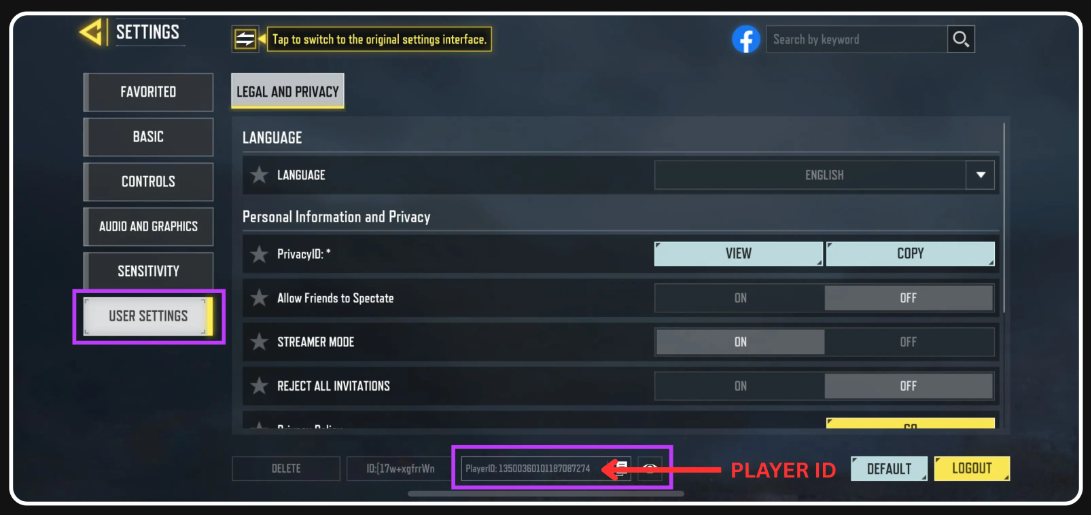
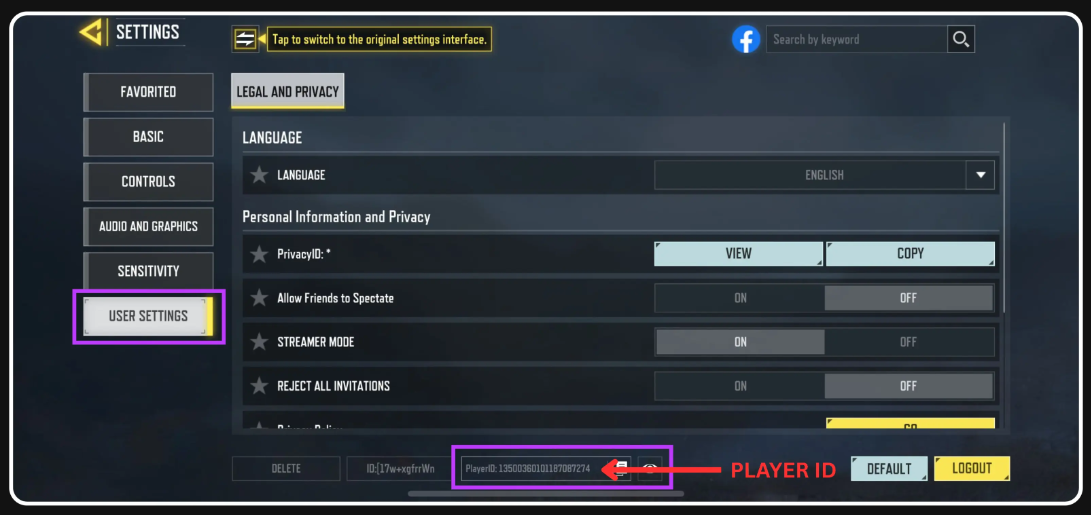
PLAYER ID GUIDE:
HOW TO REDEEM GARENA SHELLS
1. Go to https://shop.garena.ph/
2. Click on the "Call of Duty: Mobile - Garena" option from the list.
3. Enter your Player ID not the UID.
4. Click Redeem.
5. Input your Garena prepaid card.
WHERE TO FIND PLAYER ID:
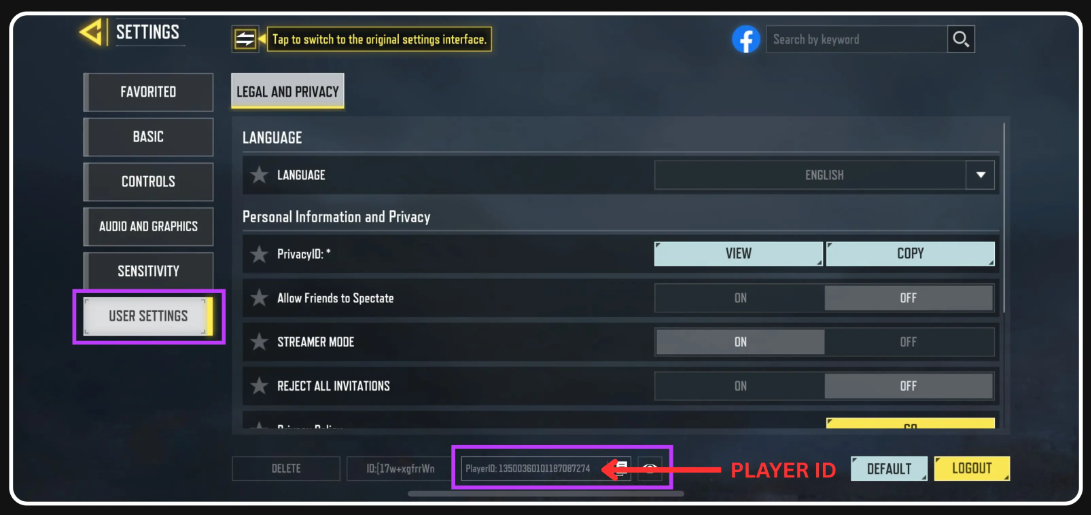
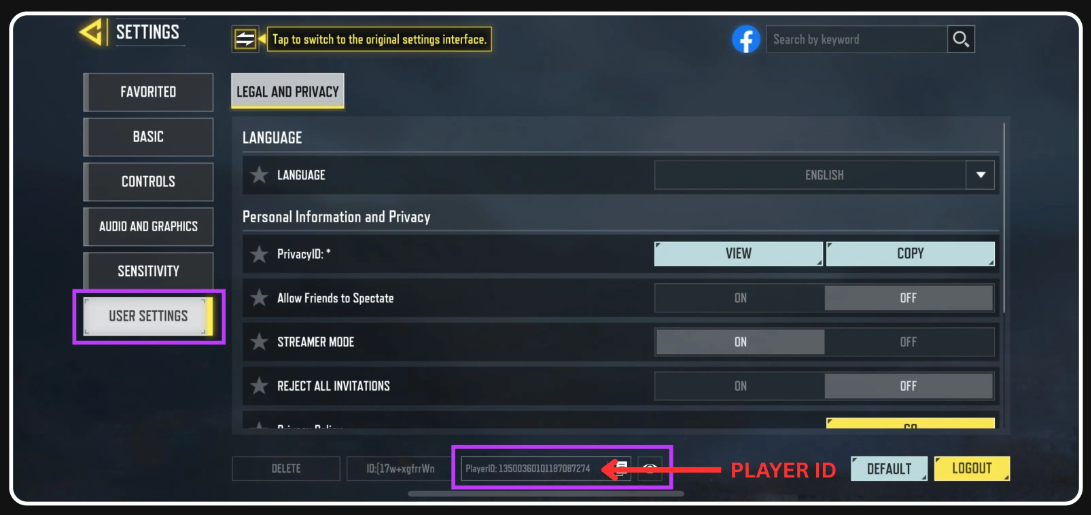
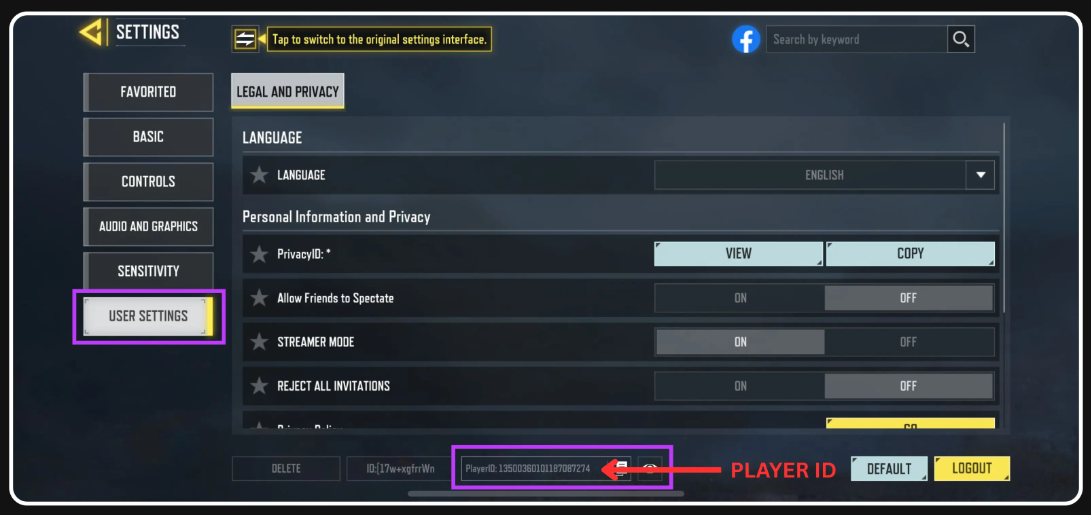
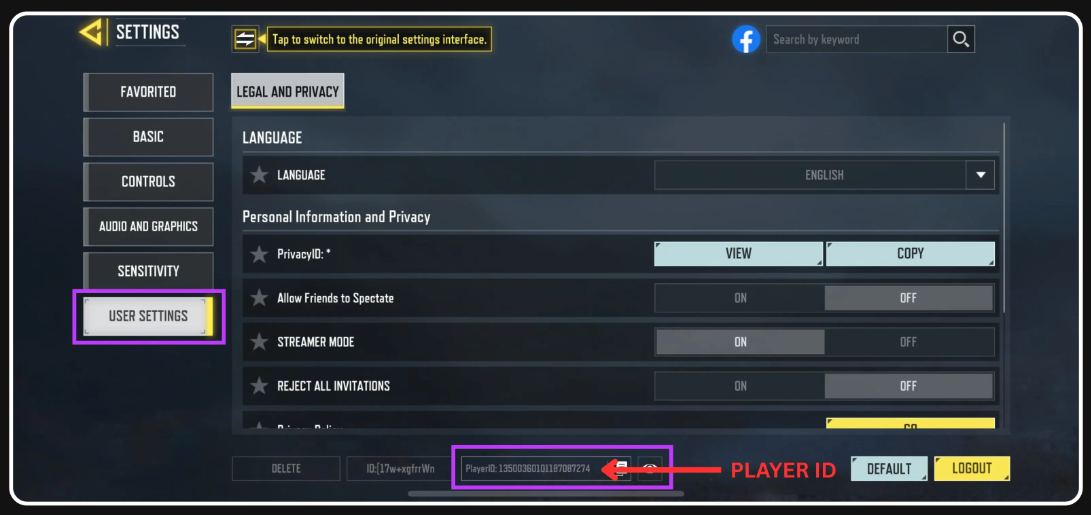
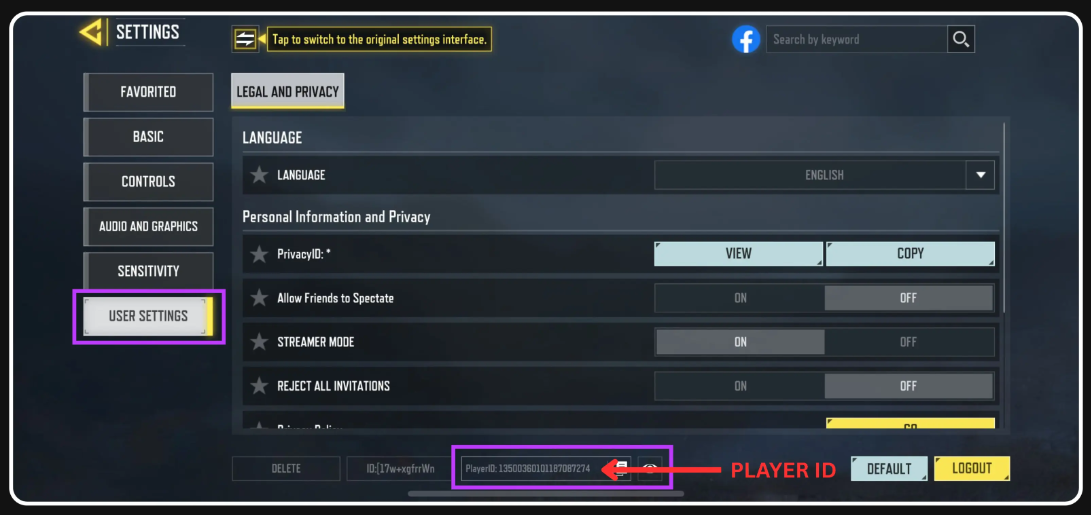
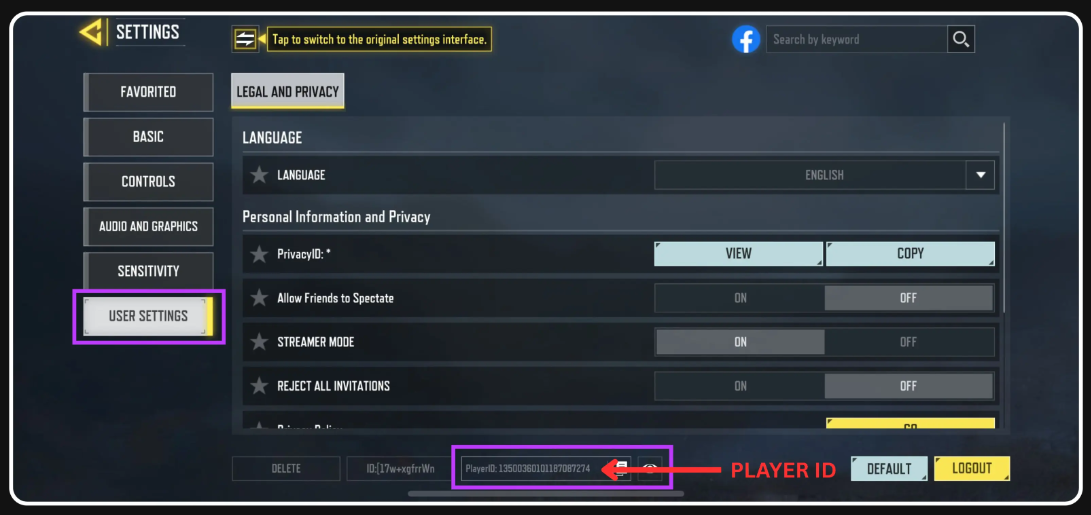
To find your Player ID, go to Settings, tap User Settings, and your Player ID will be visible right away at the bottom under Legal and Privacy.
Select item
Garena Shells (PH Region Only)
Payment Method



Account Details
Voucher Code
Order Confirmation
Transaction Receipt (Required)
Required: You must enter email to receive a transaction receipt
Mobile Number
Price
₱0.00
Security Assurance
Rating overview
5.0/5
5
55
4
0
3
0
2
0
1
0
abce********@gmail.com
1x qty 10 GS = 20 CP
02 Nov 2026, 19:39
"Trusted, fast, and secure."
abce********@gmail.com
1x qty Regular BP (328CP)
31 Oct 2026, 19:29
"Trusted, fast, and secure."
abce********@gmail.com
1x qty 100 GS = 208 CP
31 Oct 2026, 17:28
"I've topped up here multiple times, it's safe and no phishing."
abce********@gmail.com
1x qty 10 GS = 20 CP
31 Oct 2026, 14:13
"The diamonds have been credited, safe and legal!"
abce********@gmail.com
1x qty 10 GS = 20 CP
31 Oct 2026, 14:13
"The diamonds have been credited, safe and legal!"


TYSTOPUP

WhatsApp